Insights

Navigating Singapore's DC Scarcity_ From Crowded Colos to In-House Strains

Navigating Singapore’s DC Scarcity: From Crowded Colos to In-House Strains

Navigating Singapore’s DC Scarcity: From Crowded Colos to In-House Strains

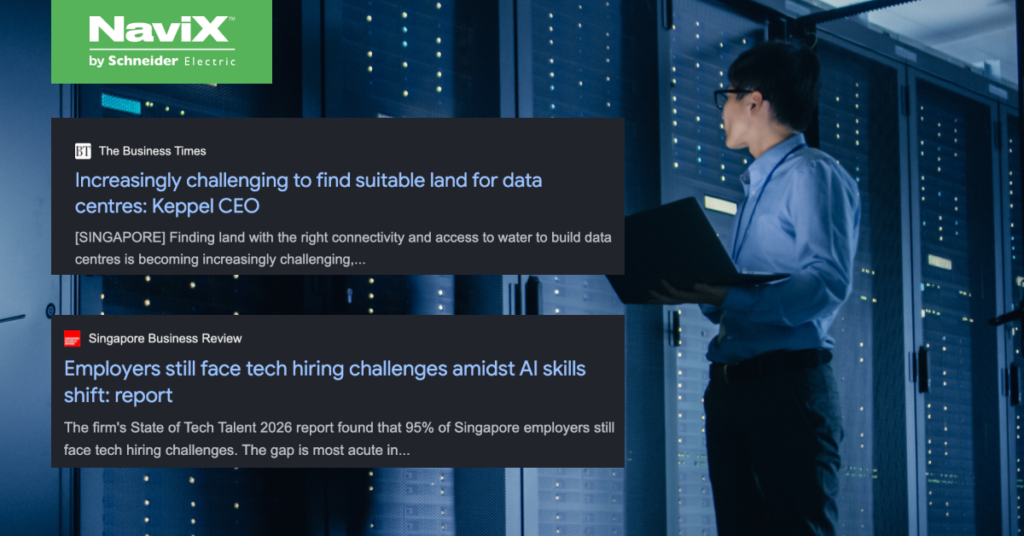
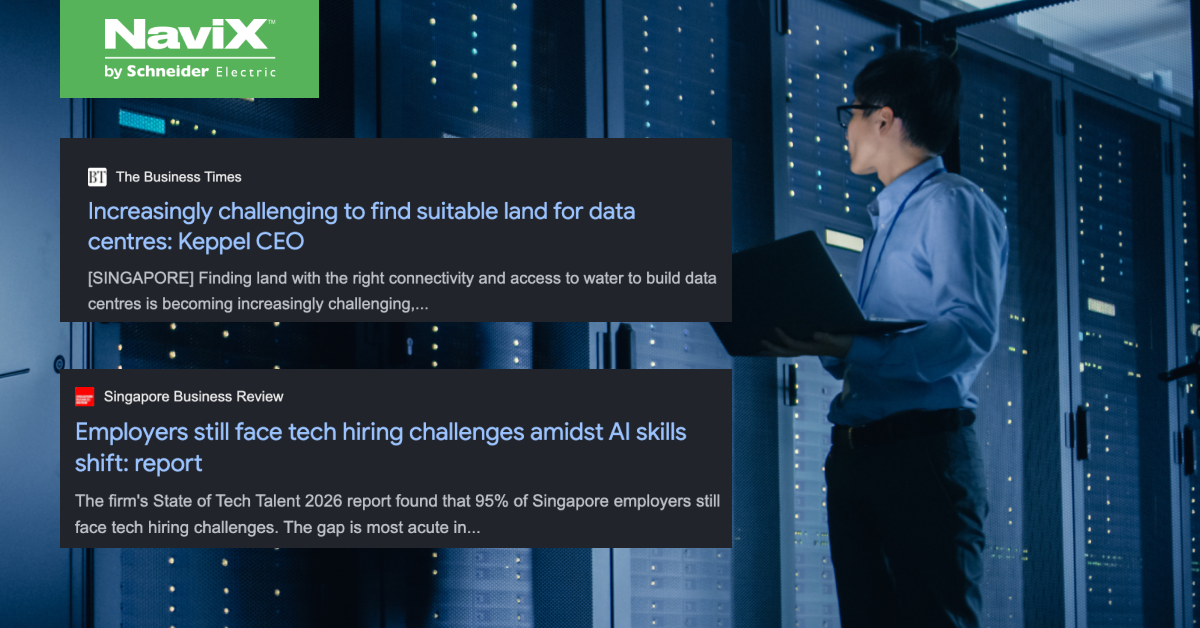
Singapore’s data centre market has never been busier — or harder to get into. For enterprises trying to secure capacity, or IT teams quietly absorbing the strain across their own sites, scarcity isn’t an abstract market condition. It shows up in three very practical ways: not enough colocation space, not enough hands to run in-house infrastructure well, and hidden costs that only surface years into ownership.

Colocation Capacity Shortage

The scarcity has structural roots. Singapore paused new data centre construction in 2019, concerned that facilities already consumed roughly 7% of national electricity. The moratorium held until 2022, when regulators introduced a selective approval regime — the Data Centre Call for Application (DC-CFA) — that only releases new capacity to operators meeting strict sustainability and efficiency criteria.

The effect on the ground: colocation vacancy sat at just 1.4% as of December 2024, among the tightest in Asia Pacific, and industry outlooks for 2026 still describe supply as structurally low, with available space too fragmented for many large deployments. Colocation now runs among the most expensive in the world at roughly USD 13.80 per watt, and with power availability now the binding constraint across the region, even newly approved capacity takes years to materialise.

Enterprises with latency-tolerant workloads are increasingly looking across the Causeway, where Johor’s data centre capacity has grown to over 1,110MW operational. But for workloads that need to stay onshore for compliance or data residency reasons, that escape valve isn’t always available — which pushes more enterprises back toward running infrastructure themselves.

Manpower Limits for On-Premise Execution Across Multi-Sites

Running one server room is manageable. Running several — branches, warehouses, regional offices — each needing the same power, cooling, and monitoring discipline, is a different problem. Singapore’s tropical humidity (75–95% year-round) makes it harder still: rooms fitted into buildings never designed for them need specialist, recurring attention, not a one-time setup.

Multiply that across sites and the requirement stops being “an IT generalist checks in occasionally” and becomes a standing operational function — someone on call for fault response and maintenance at every site. Most IT teams were never resourced for this; the electrical, mechanical, and environmental skill set involved is scarce industry-wide.

TCO Blind Spots for Data Center Fitouts

Lifecycle Cost / TCO Blind Spots

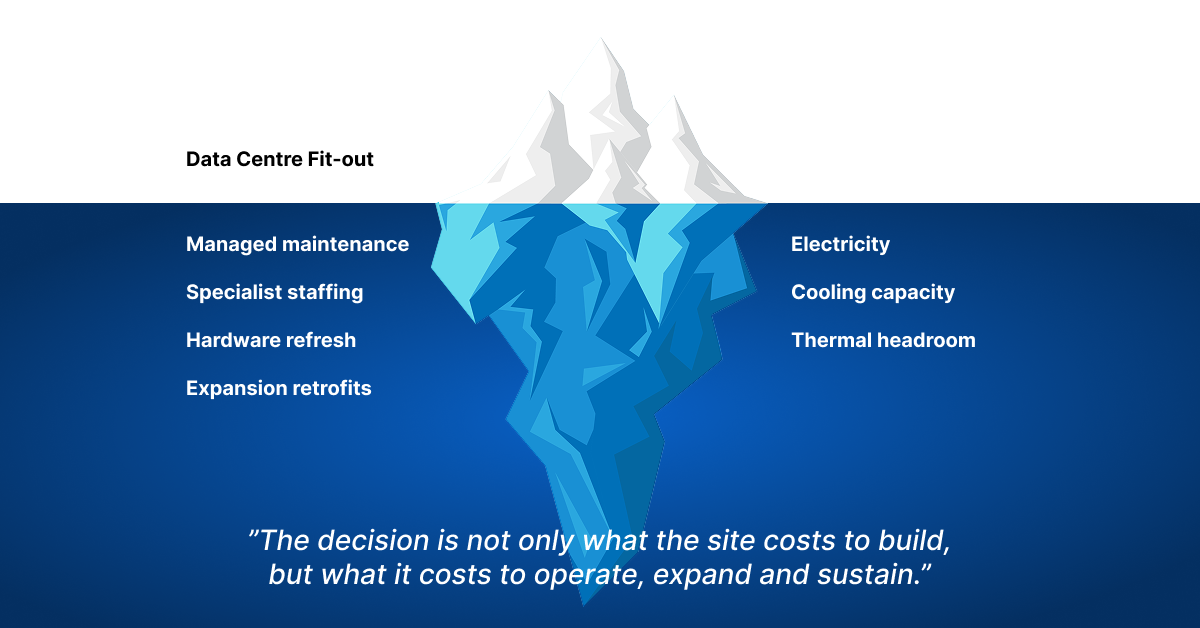
The sticker price is rarely the real cost. A typical fit-out might budget 5 to 6 figures for cooling and power alone, before the electricity, maintenance, and eventual hardware refresh that follow for years after. A common, costly mistake: cooling sized for today’s rack load with no thermal headroom for tomorrow’s, forcing an expensive retrofit the moment compute needs grow.

Ongoing costs compound it — managed maintenance can run 3 to 4 figures a month per site, or an unbudgeted headcount cost if kept in-house. None of this shows up in the initial capital estimate, and by the time it surfaces, it’s already locked in.

Closing The Gap

None of these three pressures are solved by choosing between colocation and on-premise — they’re solved by rethinking how infrastructure gets delivered in the first place. At NaviX Solutions, we see this shift already underway: enterprises moving from owning and staffing their infrastructure to subscribing to it as an outcome, with power, cooling, and monitoring engineered and maintained as a service rather than a one-off capital project.


NaviX Solutions provides zero-CAPEX, subscription-based critical power and cooling solutions for Singapore’s enterprises and commercial building operators

You may like:

The CIO’s playbook for hybrid cloud amid rising AI adoption Cloud repatriation is back on the CIO’s agenda. Forrester’s Cloud Survey found …

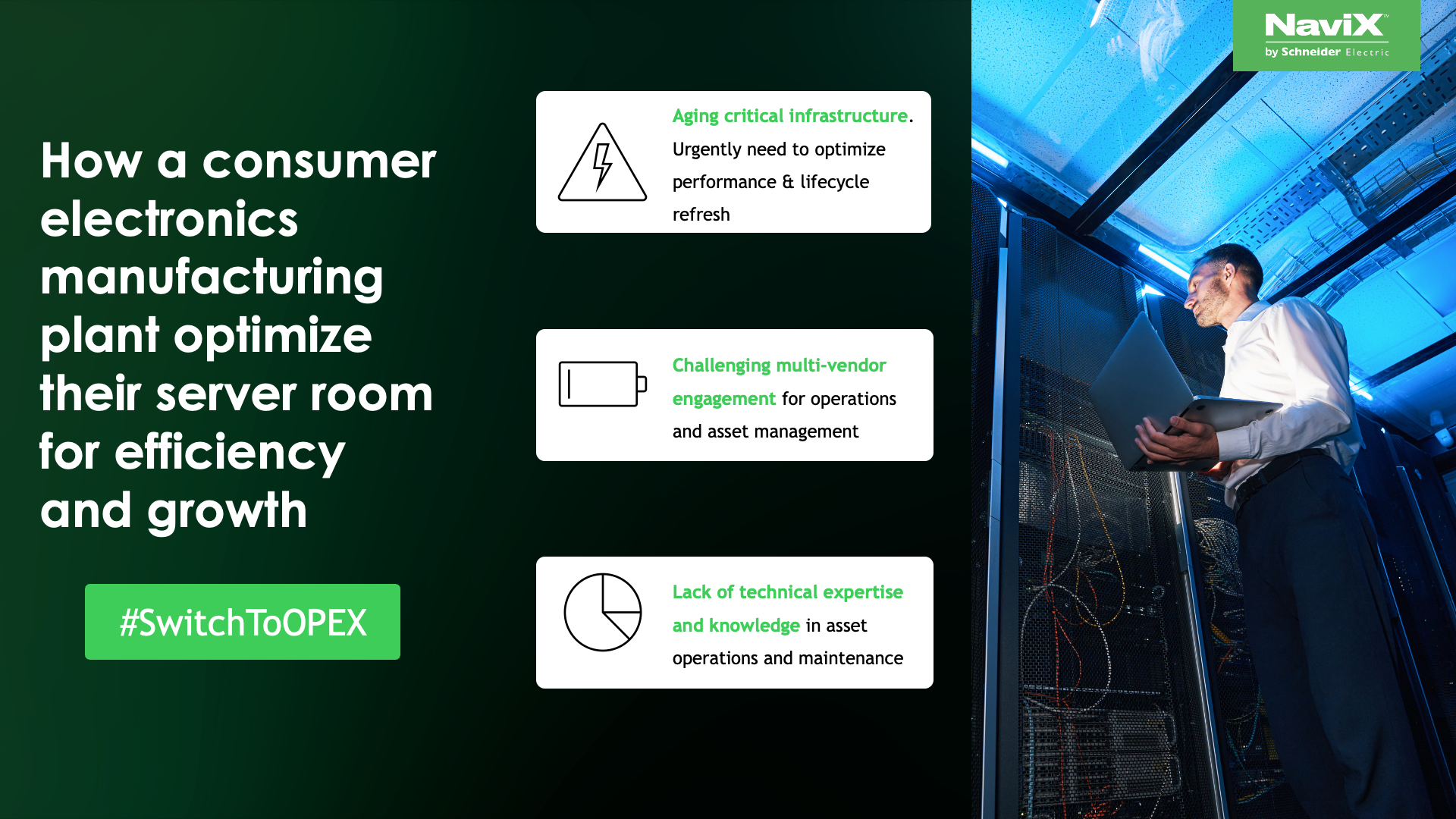
How a consumer electronics manufacturing plant optimize their server room for efficiency and growth Explore Enterprise DC as a Service Learn more: …

Navigating Singapore’s DC Scarcity: From Crowded Colos to In-House Strains

Singapore’s data centre market has never been busier — or harder to get into. For enterprises trying to secure capacity, or IT teams quietly absorbing the strain across their own sites, scarcity isn’t an abstract market condition. It shows up in three very practical ways: not enough colocation space, not enough hands to run in-house infrastructure well, and hidden costs that only surface years into ownership.

Colocation Capacity Shortage

The scarcity has structural roots. Singapore paused new data centre construction in 2019, concerned that facilities already consumed roughly 7% of national electricity. The moratorium held until 2022, when regulators introduced a selective approval regime — the Data Centre Call for Application (DC-CFA) — that only releases new capacity to operators meeting strict sustainability and efficiency criteria.

The effect on the ground: colocation vacancy sat at just 1.4% as of December 2024, among the tightest in Asia Pacific, and industry outlooks for 2026 still describe supply as structurally low, with available space too fragmented for many large deployments. Colocation now runs among the most expensive in the world at roughly USD 13.80 per watt, and with power availability now the binding constraint across the region, even newly approved capacity takes years to materialise.

Enterprises with latency-tolerant workloads are increasingly looking across the Causeway, where Johor’s data centre capacity has grown to over 1,110MW operational. But for workloads that need to stay onshore for compliance or data residency reasons, that escape valve isn’t always available — which pushes more enterprises back toward running infrastructure themselves.

Manpower Limits for On-Premise Execution Across Multi-Sites

Running one server room is manageable. Running several — branches, warehouses, regional offices — each needing the same power, cooling, and monitoring discipline, is a different problem. Singapore’s tropical humidity (75–95% year-round) makes it harder still: rooms fitted into buildings never designed for them need specialist, recurring attention, not a one-time setup.

Multiply that across sites and the requirement stops being “an IT generalist checks in occasionally” and becomes a standing operational function — someone on call for fault response and maintenance at every site. Most IT teams were never resourced for this; the electrical, mechanical, and environmental skill set involved is scarce industry-wide.

TCO Blind Spots for Data Center Fitouts

Lifecycle Cost / TCO Blind Spots

The sticker price is rarely the real cost. A typical fit-out might budget 5 to 6 figures for cooling and power alone, before the electricity, maintenance, and eventual hardware refresh that follow for years after. A common, costly mistake: cooling sized for today’s rack load with no thermal headroom for tomorrow’s, forcing an expensive retrofit the moment compute needs grow.

Ongoing costs compound it — managed maintenance can run 3 to 4 figures a month per site, or an unbudgeted headcount cost if kept in-house. None of this shows up in the initial capital estimate, and by the time it surfaces, it’s already locked in.

Closing The Gap

None of these three pressures are solved by choosing between colocation and on-premise — they’re solved by rethinking how infrastructure gets delivered in the first place. At NaviX Solutions, we see this shift already underway: enterprises moving from owning and staffing their infrastructure to subscribing to it as an outcome, with power, cooling, and monitoring engineered and maintained as a service rather than a one-off capital project.


NaviX Solutions provides zero-CAPEX, subscription-based critical power and cooling solutions for Singapore’s enterprises and commercial building operators

Learn more:

Enterprise DC as-a-Service
Critical IT Power as-a-Service
Critical IT Cooling as a Service
UPS Trade-In Program

Navigating Singapore’s DC Scarcity: From Crowded Colos to In-House Strains Read More »

CIO Playbook for Hybrid Cloud Amid Rising AI Adoption

CIO’s Playbook for Hybrid Cloud Amid Rising AI Adoption

The CIO’s playbook for hybrid cloud amid rising AI adoption

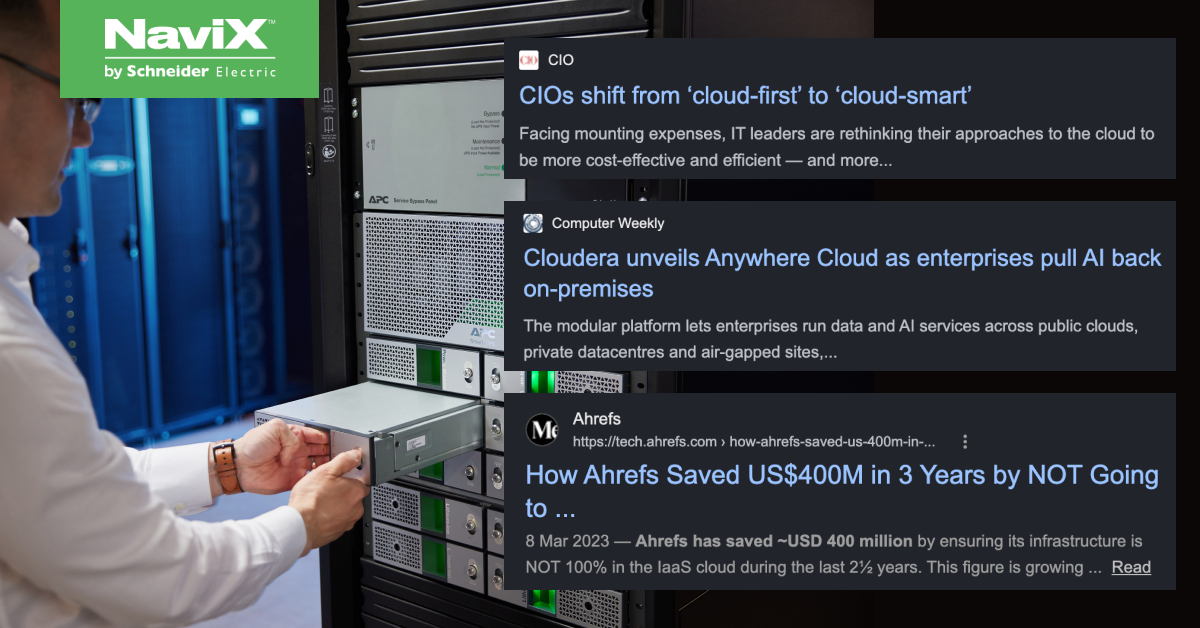
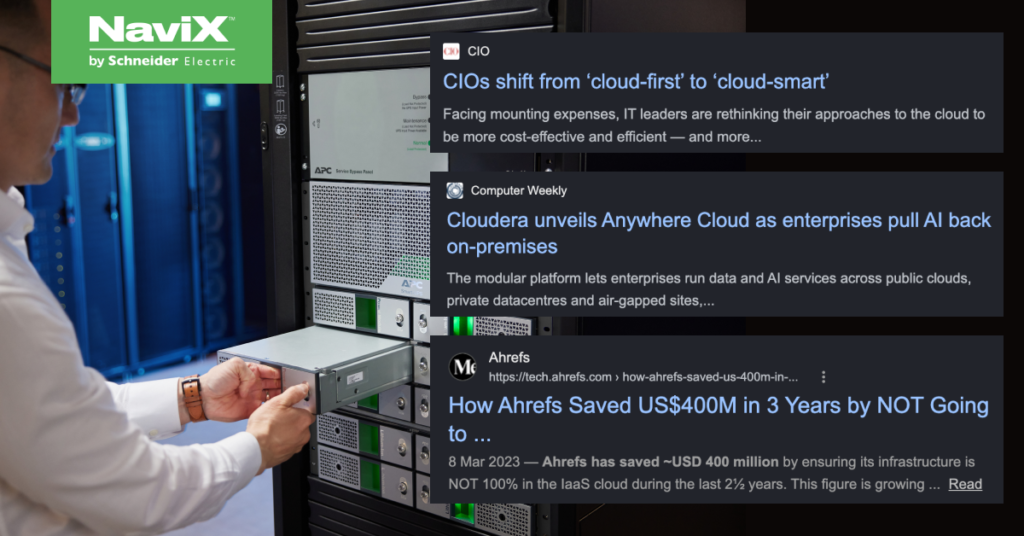
Cloud repatriation is back on the CIO’s agenda.

Forrester’s Cloud Survey found close to a third of public cloud-hosted applications are being repatriated — mostly workload by workload, not wholesale exits. IDC reports roughly 80% of enterprises expect to repatriate some compute or storage within a year, though only 8-9% plan a full exit. Gartner forecasts hybrid architectures will support mission-critical workflows at 40% of enterprises by end-2026, up from just 8% a few years ago — even as public cloud spend keeps growing past $720 billion globally.

Cost control, AI infrastructure demand, uptime, and disaster recovery are driving this shift. But here’s what most repatriation plans miss: bringing workloads home means bringing the power, cooling, and monitoring stack home too. That’s usually where the project stalls.

The Part of the Plan Nobody Budgets For

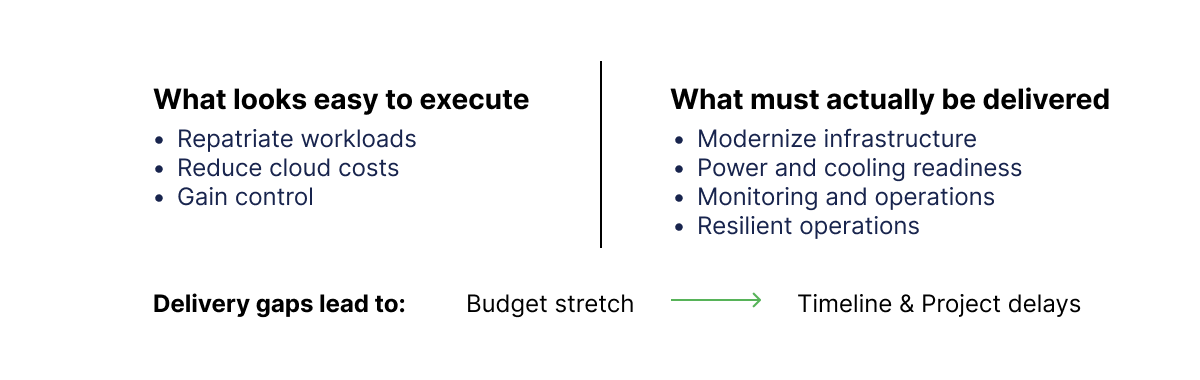
A repatriation business case is easy to build on compute alone. Move the workload, cut the cloud bill, gain control. What’s harder to model — and what derails timelines — is everything the workload depends on to actually run on-premise:

  • Power: redundant, conditioned, UPS-backed power sufficient for always-on enterprise and AI workloads. AI’s appetite here is no longer trivial
  • Cooling: thermal management sized for higher-density AI hardware, not legacy server rooms. Racks that used to run at 10–20kW are increasingly being pushed toward 100kW and beyond, with some analysts pointing to next-generation AI racks approaching 370kW — a jump that makes conventional air-cooled server rooms obsolete almost overnight.
  • Monitoring: real-time visibility into uptime, capacity, and failure risk — the operational nervous system that cloud providers used to handle invisibly. This isn’t a nice-to-have: the Uptime Institute’s 2025 Global Data Center Survey found organisations now average 2.3 significant outages a year, and the median outage lasted 53 minutes — long enough to matter at enterprise cost-of-downtime rates.

None of this is a compute problem. It’s a critical infrastructure problem. And it’s exactly the layer that CIOs focus on. 

This Is Where Repatriation Projects Delay

Setting up a server is not difficult. Designing N+1 redundant power, right-sizing cooling for GPU-dense racks, and building 24/7 monitoring with recovery protocols is a different conversation — one that turns a migration project into a CAPEX-heavy infrastructure build requiring specialist know-how most enterprises don’t keep in-house. Budgets stretch, timelines slip, and the business case that looked good on a spreadsheet stalls in committee.

This is why hybrid cloud — not full repatriation — has become the pragmatic default: enterprises want the control and cost benefits of on-premise infrastructure without re-acquiring the CAPEX and specialist capabilities they spent a decade shedding.

What Happens After the Move


Getting workloads home is only half the job. Once infrastructure is back on-premise, CIOs inherit ongoing maintenance, workflow redesign, manpower for round-the-clock fault response, and a wider web of vendors to manage — the hidden second wave that CIOs need to consider.

A playbook for CIOs

  1. Take the stress off your team’s plate. Power, cooling, and monitoring are specialist disciplines — carrying that load in-house on top of applications and workloads is how good IT teams get stretched thin.
  2. Eliminate the single point of failure. A repatriation done without redundant power and proper failover design just moves the risk from a cloud region to a server room. Resiliency has to be engineered in, not assumed.
  3. Get visibility the CIO can actually rely on. Real-time monitoring across on-premise and cloud means fewer surprises — and answers ready before the board asks the question.
  4. Build in resiliency from the start. AI-density workloads and always-on operations leave little room for reactive fixes. Design for uptime upfront rather than patching it in after an outage.
  5. Aim for operational excellence, not just uptime. The goal isn’t only “nothing broke” — it’s a hybrid environment that runs predictably, scales cleanly, and frees the IT/Ops lead to focus on higher-value work instead of firefighting.

Closing the Gap

For CIOs building a hybrid cloud strategy amid rising AI adoption, the real playbook isn’t cloud versus on-premise. It’s finding a partner who can deliver the full stack — compute, power, cooling, and visibility — so the capabilities gap never gets a chance to stall the project.


NaviX Solutions provides zero-CAPEX, subscription-based critical power and cooling solutions for Singapore’s enterprises and commercial building operators

You may like:

Navigating Singapore’s DC Scarcity: From Crowded Colos to In-House Strains Singapore’s data centre market has never been busier — or harder to …

How a consumer electronics manufacturing plant optimize their server room for efficiency and growth Explore Enterprise DC as a Service Learn more: …

The CIO’s playbook for hybrid cloud amid rising AI adoption

Cloud repatriation is back on the CIO’s agenda.

Forrester’s Cloud Survey found close to a third of public cloud-hosted applications are being repatriated — mostly workload by workload, not wholesale exits. IDC reports roughly 80% of enterprises expect to repatriate some compute or storage within a year, though only 8-9% plan a full exit. Gartner forecasts hybrid architectures will support mission-critical workflows at 40% of enterprises by end-2026, up from just 8% a few years ago — even as public cloud spend keeps growing past $720 billion globally.

Cost control, AI infrastructure demand, uptime, and disaster recovery are driving this shift. But here’s what most repatriation plans miss: bringing workloads home means bringing the power, cooling, and monitoring stack home too. That’s usually where the project stalls.

The Part of the Plan Nobody Budgets For


A repatriation business case is easy to build on compute alone. Move the workload, cut the cloud bill, gain control. What’s harder to model — and what derails timelines — is everything the workload depends on to actually run on-premise:

  • Power: redundant, conditioned, UPS-backed power sufficient for always-on enterprise and AI workloads. AI’s appetite here is no longer trivial
  • Cooling: thermal management sized for higher-density AI hardware, not legacy server rooms. Racks that used to run at 10–20kW are increasingly being pushed toward 100kW and beyond, with some analysts pointing to next-generation AI racks approaching 370kW — a jump that makes conventional air-cooled server rooms obsolete almost overnight.
  • Monitoring: real-time visibility into uptime, capacity, and failure risk — the operational nervous system that cloud providers used to handle invisibly. This isn’t a nice-to-have: the Uptime Institute’s 2025 Global Data Center Survey found organisations now average 2.3 significant outages a year, and the median outage lasted 53 minutes — long enough to matter at enterprise cost-of-downtime rates.

None of this is a compute problem. It’s a critical infrastructure problem. And it’s exactly the layer that CIOs focus on. 

This Is Where Repatriation Projects Delay


Setting up a server is not difficult. Designing N+1 redundant power, right-sizing cooling for GPU-dense racks, and building 24/7 monitoring with recovery protocols is a different conversation — one that turns a migration project into a CAPEX-heavy infrastructure build requiring specialist know-how most enterprises don’t keep in-house. Budgets stretch, timelines slip, and the business case that looked good on a spreadsheet stalls in committee.

This is why hybrid cloud — not full repatriation — has become the pragmatic default: enterprises want the control and cost benefits of on-premise infrastructure without re-acquiring the CAPEX and specialist capabilities they spent a decade shedding.

What Happens After the Move


Getting workloads home is only half the job. Once infrastructure is back on-premise, CIOs inherit ongoing maintenance, workflow redesign, manpower for round-the-clock fault response, and a wider web of vendors to manage — the hidden second wave that CIOs need to consider.

A playbook for CIOs

  1. Take the stress off your team’s plate. Power, cooling, and monitoring are specialist disciplines — carrying that load in-house on top of applications and workloads is how good IT teams get stretched thin.
  2. Eliminate the single point of failure. A repatriation done without redundant power and proper failover design just moves the risk from a cloud region to a server room. Resiliency has to be engineered in, not assumed.
  3. Get visibility the CIO can actually rely on. Real-time monitoring across on-premise and cloud means fewer surprises — and answers ready before the board asks the question.
  4. Build in resiliency from the start. AI-density workloads and always-on operations leave little room for reactive fixes. Design for uptime upfront rather than patching it in after an outage.
  5. Aim for operational excellence, not just uptime. The goal isn’t only “nothing broke” — it’s a hybrid environment that runs predictably, scales cleanly, and frees the IT/Ops lead to focus on higher-value work instead of firefighting.

Closing the Gap


For CIOs building a hybrid cloud strategy amid rising AI adoption, the real playbook isn’t cloud versus on-premise. It’s finding a partner who can deliver the full stack — compute, power, cooling, and visibility — so the capabilities gap never gets a chance to stall the project.


NaviX Solutions provides zero-CAPEX, subscription-based critical power and cooling solutions for Singapore’s enterprises and commercial building operators

Learn more:

Enterprise DC as-a-Service
Critical IT Power as-a-Service
Critical IT Cooling as a Service
UPS Trade-In Program

CIO’s Playbook for Hybrid Cloud Amid Rising AI Adoption Read More »

7 Energy Efficiency Tips You Can Use In Your Facility

7 Energy Efficiency Tips To Use In Your Facility

7 Energy Efficiency Tips You Can Use In Your Facility

7 Energy Efficiency Tips to Use In Your Facility

It’s no longer a want but a need to practice sustainable environmental consciousness and optimize energy efficiency when it comes to infrastructure in commercial and industrial facilities. Implementing energy-efficient measures not only helps in reducing operational costs but also contributes to a greener and more sustainable future.

Here are 7 key energy efficiency tips that can be applied to your facility, providing tangible benefits for both the environment and your bottom line.

1. Upgrade to High-Efficiency HVAC Equipment

Heating, ventilation, and air conditioning (HVAC) systems are the single largest contributor to a facility’s energy consumption. Upgrading to high-efficiency HVAC equipment can significantly reduce energy usage and costs. Newer models often come equipped with advanced technologies such as variable-speed drives, smart controls and improved insulation, ensuring better performance and energy conservation.

2. Don’t Just Meter. Install Submeters!

While metering is essential for monitoring overall energy consumption, installing submeters takes energy management to the next level. Submeters allow you to track energy usage in specific areas or equipment within your facility. This detailed data can help identify energy-intensive areas, allowing for targeted improvements and better overall efficiency.

3. Modernize Your BMS (Building Management System)

An updated and well-maintained Building Management System (BMS) is crucial for efficient facility operations. Upgrading to the latest BMS technology enables centralized control and monitoring of various building systems, including HVAC, lighting, and security. This centralized approach enhances coordination and automation, optimizing energy use and reducing waste.

4. Create a Planned Preventive Maintenance Strategy

Regular planned preventive maintenance is needed to ensure that the facility’s equipment is running at optimal performance levels. A well-planned preventive maintenance strategy should include regular inspection, servicing, and replacement of parts of the equipment, while also allowing you to keep track of who performed the task, when it was completed, and any observations or findings after maintenance is completed. This can be further augmented with digitization.

5. Go for Advanced Lighting Control

Lighting constitutes 12 to 15% of a facility’s energy consumption. Advanced lighting control systems, such as motion, occupancy and daylight sensors, ensure that lights are only turned on when needed and to the right lux levels. The right specification and usage of lighting systems can lead to over 50% of potential energy savings against baseline!

6. Switch to Variable Frequency Drives (VFDs)

Variable Frequency Drives (VFDs) offer a precise and energy-efficient way to control the speed of motors in various applications. By adjusting the speed of motors based on the actual requirements, VFDs prevent unnecessary energy consumption, particularly in systems with fluctuating loads. Incorporating VFDs into your facility can result in substantial energy savings.

7. Switch to Occupancy-Based Control

Implementing occupancy-based control systems ensures that lighting, HVAC, and other systems are active only when areas are occupied. Motion sensors and occupancy detectors play a crucial role in automating these controls. This not only saves energy but also enhances occupant comfort by tailoring environmental conditions to actual usage.

Embracing energy efficiency in your facility is a complicated but rewarding approach that involves upgrading equipment, adopting smart technologies, and leveraging data-driven insights. Building owners can consider NaviX’s Infrastructure as-a-Service to maximize energy efficiency and achieve tangible cost savings, paving the way toward a cleaner and greener future.

Speak to us today – We’ll be delighted to assist you in your energy efficiency journey.

7 Energy Efficiency Tips To Use In Your Facility Read More »

Top 5 Reasons Businesses Switch to OpEx for Infrastructure Investments

Top 5 Reasons Businesses Switch to OpEx for Infrastructure Investments

In an era driven by technological innovation and sustainability imperatives, Mechanical and Electrical (M&E) infrastructure management has become more critical than ever. Whether it is optimizing energy efficiency, enhancing equipment reliability, or ensuring compliance with ever-evolving regulations, these require significant investments in mission-critical business areas. Such spending could come in the form of either capital expenditure (CapEx) or operating expenditure (OpEx).

CapEx vs OpEx

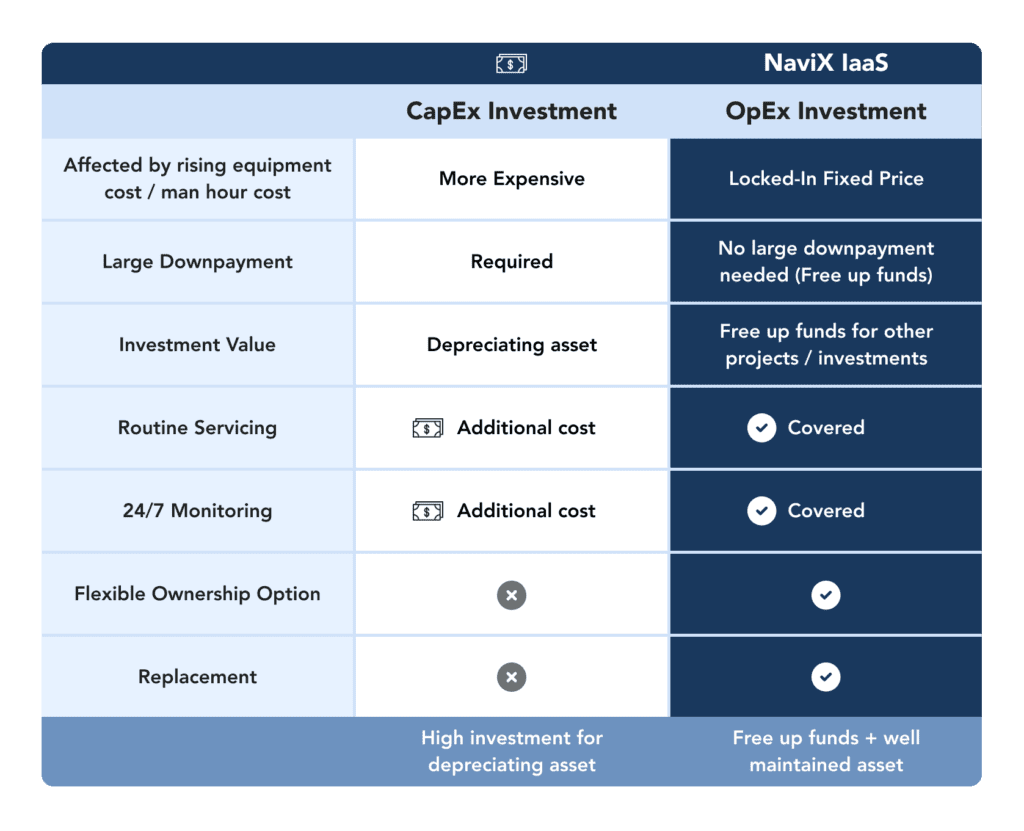
Capital expenditure (CapEx) always constitute of a substantial upfront cost which is capitalized on the balance sheet, and thereafter depreciated over the typical useful life of the equipment. CapEx models tend to be expensive since they require one-time purchase(s) and you would expect to reap the benefits over the years. By allocating more of your budget to CapEx means lesser cash resources for other projects and investments.

Operating expenditure (OpEx) models offer a cost-effective and flexible alternative to CapEx models since they typically do not require any upfront payment. This approach involves the leasing of infrastructure assets, which includes essential maintenance services and necessary upgrades.

Low Starting Cost

Businesses are able to significantly reduce upfront expenses with Infrastructure-as-a-Service (IaaS), which is an OpEx model for infrastructure investments. This is exceptionally useful for businesses that require advanced technology, hardware and services or business that are going through equipment lifecycle retrofits, allowing the reprioritisation of precious resources back to the core business. 

Scalability

The Infrastructure-as-a-Service (IaaS) model helps businesses to adapt to the ever-changing economical landscape. As businesses grow, infrastructure assets might need expand exponentially. CapEx constraints could, as a result, limit business growth.

For example, critical cooling is one of the most capital-intensive requirements in data centre operations. Under a CapEx model, if the cooling system is not well-planned, the data centre will not be able to hold or scale the expected amount of IT infrastructure. Conversely, if the cooling system is over specified, it will become a costly and inefficient liability for the business. By shifting from CapEx to OpEx, businesses are able to adapt and respond quickly to the changing demands and ensure that their infrastructure remains true to their operations.

Technology Advancement

When businesses choose Infrastructure-as-a-Service (IaaS), they immediately unlock a wider access to the latest assets and services offered, which are robust and are constantly improving. NaviX updates and upgrades these infrastructure assets to ensure the assets are running at optimal level.

Maintenance Outsourcing

Operations & Maintenance (O&M) forms part of the Infrastructure-as-a-Service model, allowing businesses to reduce their responsibility for continued maintenance. This frees up internal resources to support the core business instead of worrying about backups, operating system upgrades, IT support and repairs.

No Depreciation

M&E equipment like EV Charging Stations, Uninterruptible Power Supply (UPS), loses value over time. In a CapEx model, business have to take note on depreciating assets and the asset becoming obsolete or outdated over the years. With Infrastructure-as-a-Service (IaaS), assets will be upgraded and maintained, thus ensuring optimal performance as it is required.

Switch from CapEx to OpEx

Making the switch from CapEx to OpEx can provide several benefits for businesses. OpEx model offers businesses the flexibility and adaptability in this challenging and rapidly evolving market. It is critical that businesses carefully consider their specific needs and goals when making the decision between CapEx and OpEx. By understanding the differences in both models, businesses can better allocate resources and increase profitability.

Speak to us today – we’ll be delighted to assist you in your CapEx to OpEx transition.

Top 5 Reasons Businesses Switch to OpEx for Infrastructure Investments Read More »

Earth Day with NaviX

Earth Day with NaviX

Earth Day Banner

On April 22, we celebrate Earth Day to recognize the accomplishments of the environmental movement and to increase public awareness of the need of preserving the planet’s natural resources for coming generations. Companies are making a serious impact in helping the Earth at scale by encouraging their employees to participate in environmental initiatives and promoting sustainable practices in the workplace.

Here at NaviX, we are part of the climate-change solutions, creating innovating products and features to make a positive impact to our planet.

Below, we share some activities and tips from our colleagues from NaviX on how they are making an impact to the environment.

Ethan Tan, Digital Marketing Executive

“I minimize my carbon footprint by walking whenever I can. If the distance is larger, I may choose to cycle instead. This can be treated as a form of exercise for me too. Everyday, I will bring along my own eco-friendly foldable bags which can be used when I make any purchases at the stores.” 

Vincent Goh, Chief Technology Officer

“Going eco-friendly to me is about conserving energy. This can be done by using energy-efficient appliances and turning off lights and electronics when not in use. I have an automated smart home set up so that appliances can be automatically switched off after a certain time or when not in use. Technology can play a big part for sustainability!”

As we reflect on these Earth Day tips shared by our colleagues from NaviX, let us remember that every action, no matter how small, can make a difference in protecting our planet.


Earth Day with NaviX Read More »

Scroll to Top